Monitor
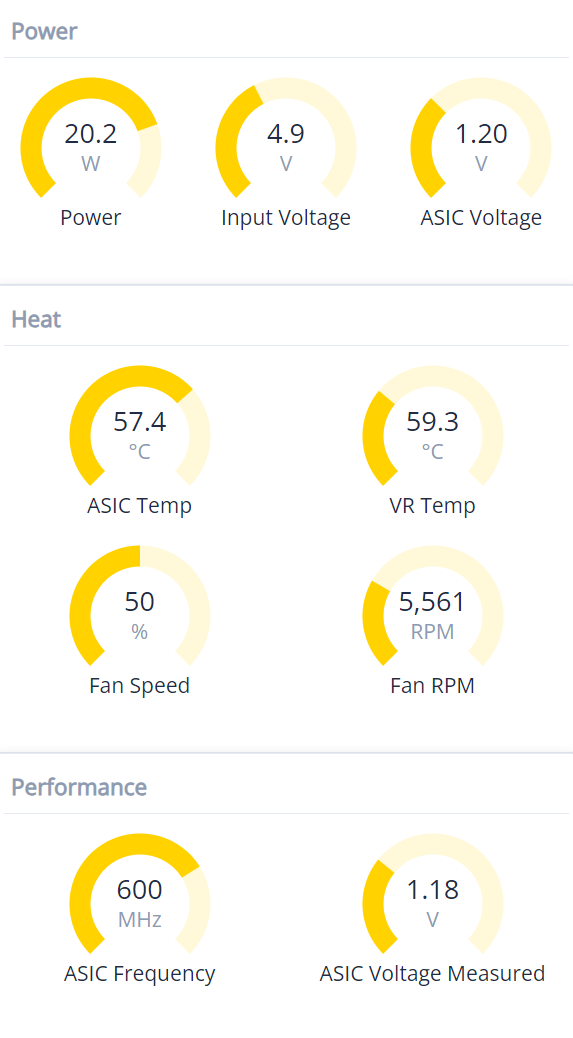
Track live hashrate, temperature, and efficiency metrics from the on-device display or the web portal.

Powered by the Bitmain BM1370 ASIC (from the Antminer S21 Pro), the BTC Solo Lite delivers professional-grade performance in a desk-friendly footprint designed for serious Bitcoin enthusiasts.
Based on the ESP-Miner-NerdQAxePlus open-source program, we applied straightforward optimizations to the software components to enable more efficient execution of mining operations. Through adjustments to motherboard configurations and optimizations to thermal components, our product achieves enhanced heat dissipation efficiency under equivalent power consumption, ensuring superior performance stability under high-temperature operating conditions.
Use the web dashboard to turn complex mining operations into three approachable workflows.
Track live hashrate, temperature, and efficiency metrics from the on-device display or the web portal.
Review logs, accepted shares, and network statistics to understand performance trends at a glance.
Adjust voltage, frequency, fan speed, and pool settings without leaving the browser.
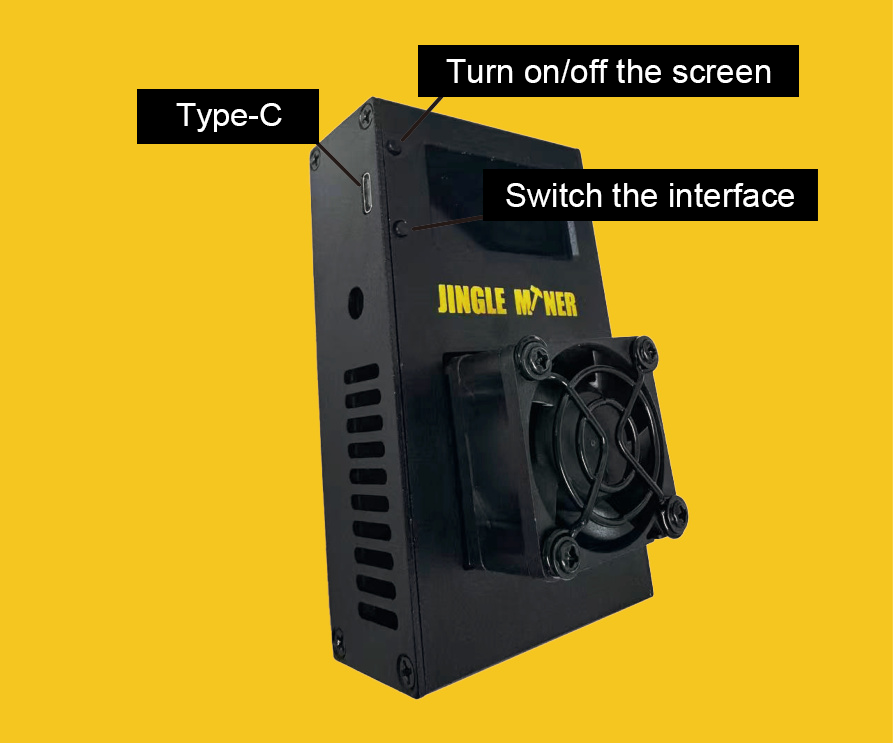
| MCU | ESP32-S3 |
| ASIC | BM1370 |
| VCC | 5V |
| Power | 23W ± 10% |
| IMAX | 5A |
| Wi-Fi | 2.4 GHz only |
| USB type | USB-C |
1.2 TH/s Bitmain ASIC chip operating at low temperature with active cooling.
Standard mining data including hashrate, uptime, efficiency, and share quality.
Global miner data with current hashrate, configuration values, and logs.
Getting the miner online typically takes five minutes—follow the checklist below to start hashing.
Connect only the included 5V/5A adapter to the power port. Avoid third-party adapters to prevent damage.
Wait for "Connect to SSID: JingleMiner_XXXX" to appear, then connect to that Wi-Fi network from your phone or laptop.
The configuration page should load automatically. If it does not, browse to http://192.168.4.1 and open the Settings panel.
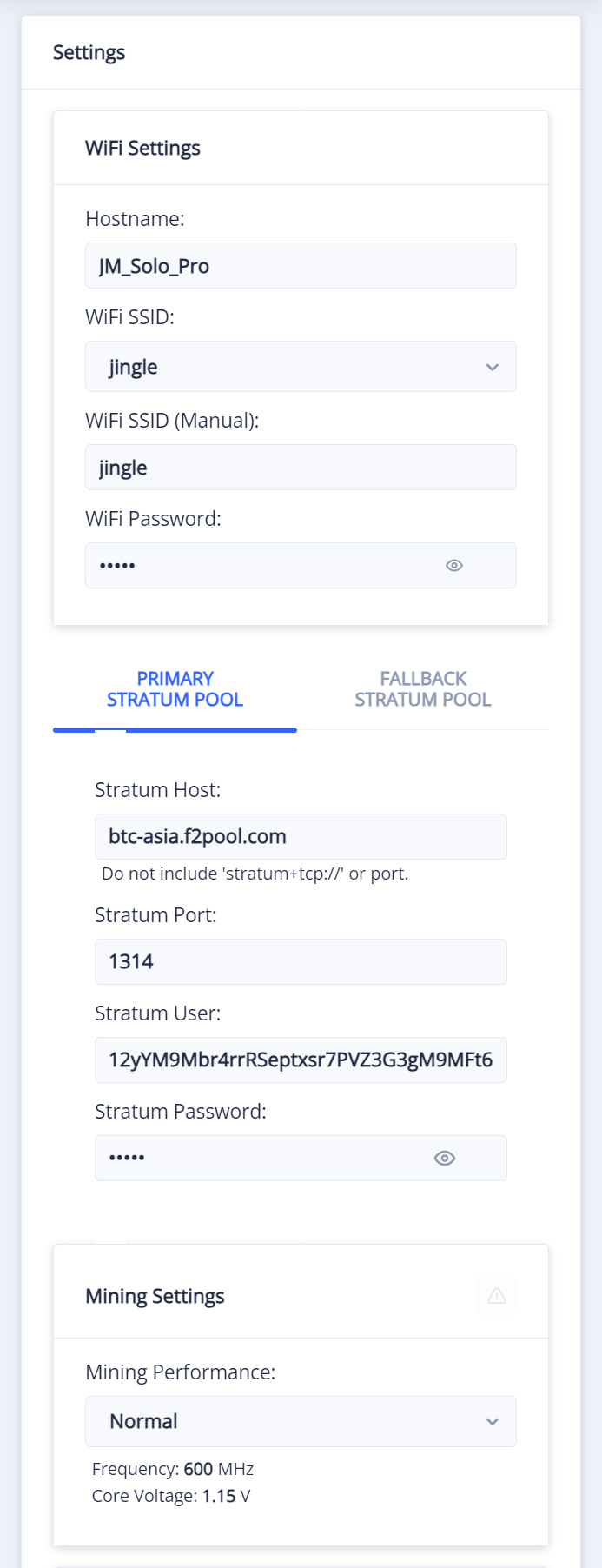
Provide Wi-Fi credentials, pool URL and port, and your stratum user in the format <btcAddress>.<workerName>. Add a password only if your pool requires one.
Click Save and Restart. The device will reboot, reconnect to Wi-Fi, and begin mining with the settings you supplied.
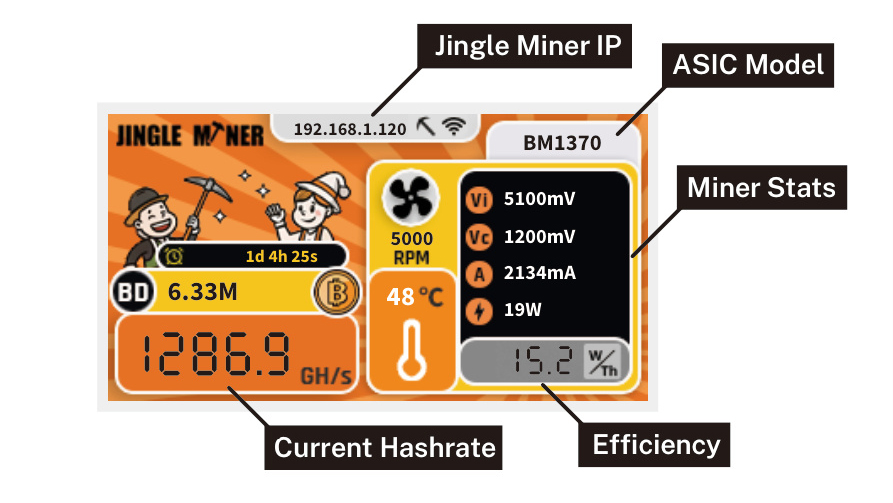
Monitor primary data on the device screen, including operating status, pool configuration, and live Bitcoin pricing.
Shows hashrate, uptime, efficiency, best difficulty, power draw, and fan speed in real time.
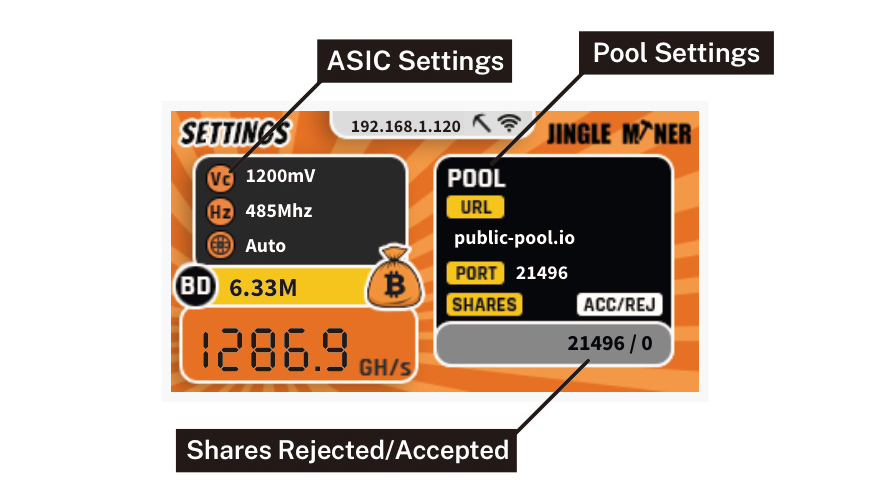
Lists pool URL and port, accepted versus rejected shares, and fan/voltage targets for quick verification.
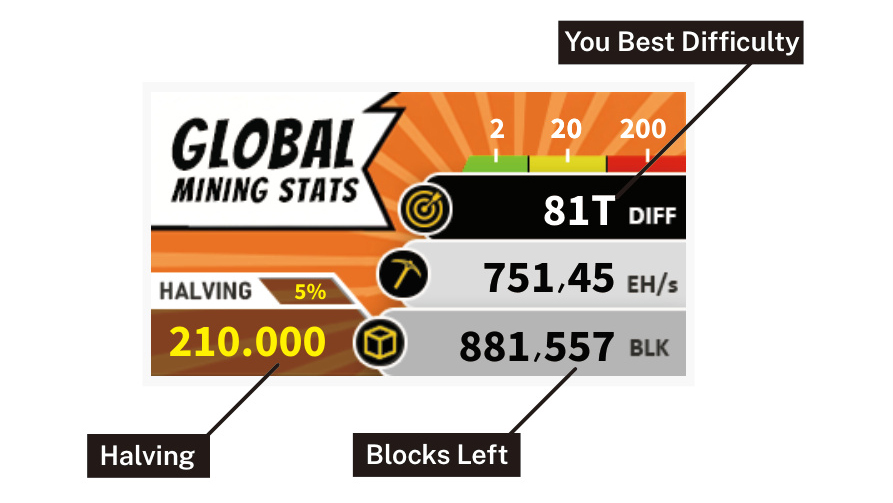
Displays Bitcoin network hashrate, current difficulty, block height, and halving countdown.
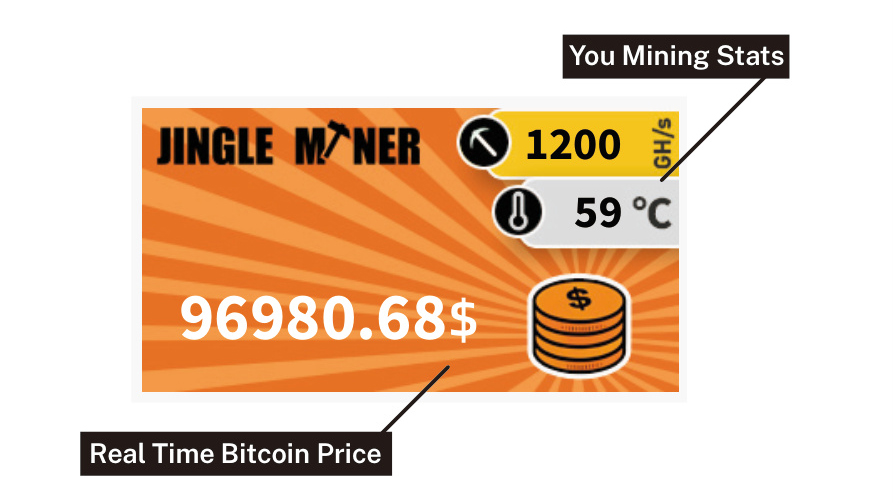
Combines live Bitcoin price with miner performance to highlight profitability trends.
Keep these parameters handy when tuning or moving between pools.
Unlike traditional pool mining, solo mining allows you to claim the entire block reward individually. For example, a Bitcoin block reward is 3.125 BTC. When you successfully mine a block, you retain the full 3.125 BTC instead of sharing it with others.
Jingle Miner's high-performance BTC Solo Miner significantly boosts your chances of securing block rewards through optimized computational power and efficiency.
If you prefer solo mining, choose a mining pool that supports it. The providers below offer solo-ready endpoints.
Join established pools such as F2Pool or ViaBTC to receive smaller, more frequent payouts. Popular pool endpoints include:
I can't find the JingleMiner_XXXX Wi-Fi network. What now?
On first boot the miner looks for its default Wi-Fi profile. After five failed attempts it exposes its own hotspot. Wait a minute and rescan before rebooting.
Why is my hashrate zero after configuration?
The device needs a short initialization period. Wait roughly ten minutes, confirm Wi-Fi and pool credentials, then reboot if required.
My hashrate is lower than expected. How can I improve it?
Increase the ASIC frequency gradually, keep ambient temperatures below 38°C (100°F), and position the miner near the Wi-Fi access point. Contact support if performance does not recover.
Can I mine coins other than Bitcoin?
Yes. Any SHA-256d cryptocurrency, such as Bitcoin Cash, can run on the BTC Solo Lite with the appropriate pool settings.
How long will it take to earn a block reward?
Rewards vary widely. Use the block reward calculator on jingleminer.com to estimate probabilities based on current network difficulty.
This device complies with Part 15 of the FCC Rules. Operation is subject to the following two conditions: (1) this device may not cause harmful interference, and (2) this device must accept any interference received, including interference that may cause undesired operation.
Any changes or modifications not expressly approved by the party responsible for compliance could void the user's authority to operate the equipment.
To maintain compliance with the FCC's RF exposure guidelines, install and operate this equipment with a minimum 20 cm (7.9 in) separation between the antenna and all persons, and use only the supplied antenna.
Note: This equipment has been tested and found to comply with the limits for a Class B digital device, pursuant to Part 15 of the FCC Rules. These limits provide reasonable protection against harmful interference in a residential installation. This equipment generates, uses, and can radiate radio frequency energy and, if not installed and used in accordance with the instructions, may cause harmful interference to radio communications.
However, there is no guarantee that interference will not occur in a particular installation. If this equipment does cause harmful interference to radio or television reception, try to correct the interference by one or more of the following measures: